Four changes shape this release from the perspective of everyday work: a Workflow Designer without an installation, invoice intake for international formats, a second factor at login, and forms you can put aside halfway through.
Building workflows in the browser
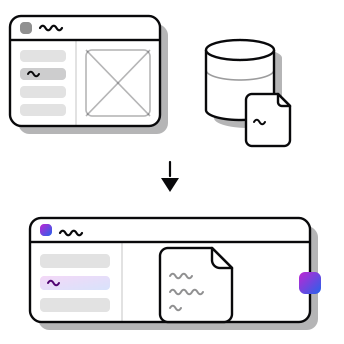
The Workflow Designer is no longer a separate application. Processes are built directly in the DocuWare Configuration, in the browser, with nothing to install on the workstation. Several things stand out in daily use:
- Responsibilities are set per task rather than once for the entire process.
- Changes save themselves, and a step backwards is always available.
- Several steps can be selected, copied or removed together.
- Individual workflows can be exported instead of only the entire set.
- A custom response can be defined for unexpected interruptions.
An overview lists every file cabinet along with the processes running on it. Older workflows from the desktop application are taken over in a few clicks. The transferred version only goes live once published – until then, processes already under way continue unchanged.
E-invoices from abroad
Until now, a single configuration covered the formats based on UBL and CII. DocuWare now identifies the format itself and picks the matching processing path, including standards built on neither of those foundations.
For invoice intake, that means one mailbox and one folder. Anyone with suppliers in Italy and Poland sets up FatturaPA and KSeF once each, while XRechnung and FacturaE continue to share a configuration. The same identification also works for other XML documents, delivery notes among them.
Logging in with a second factor
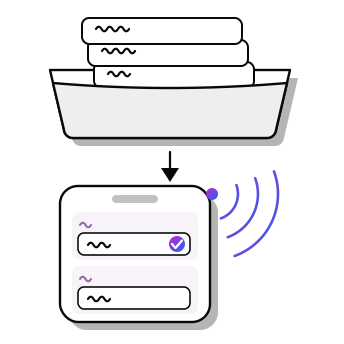
Access can be protected with an additional one-time code from an authenticator app. The organisation releases the feature, and each person activates it in their own profile. User Management shows who has already switched over – and if a phone goes missing, the second factor can be reset for that individual.
Putting forms aside
A half-finished form is no longer lost: its state can be saved through the form link and completed later, or handed to someone who knows the missing details. From within a workflow, fields can be pre-populated with data already on file.
Select lists can be filtered by the beginning of what you type. For numbers, that produces far shorter result lists than searching across the whole entry.
More information
All new features, with screenshots and use cases, are documented in the Knowledge Center: